Category: Ai Hacks

  • Best AI Voice Generator For YouTube and TikTok 2023

    Title: Unveiling the Best AI Voice Generator for YouTube and TikTok in 2023

    Introduction:
    Welcome back, everyone! In today’s video, we’re diving into the fascinating world of AI voice generation with the top AI website. Specifically, we’ll be exploring the text-to-speech synthesis feature of Top R AI, a tool that proves invaluable for voiceovers and various professional applications.

    Interface Overview (00:33):
    Upon entering the interface of Top R AI’s text-to-speech synthesis, we encounter a user-friendly design showcasing a plethora of features. The platform offers two voice options: Real Person and VIP. Even without VIP access, users can freely preview voices, ranging from musicians and actors to Transformers and anime characters.

    Voice Selection (01:10):
    Top R AI provides a diverse range of voices, allowing users to tailor their selections based on specific categories. Whether you’re after a YouTuber’s voice, a scientist’s tone, or even an anime character like those from Shk Animation, the platform has you covered. Customization options abound for those seeking something unique.

    Text-to-Speech Process (01:48):
    The process of converting text to speech is remarkably simple. Users can copy and paste their text or type directly into the provided box. After selecting a voice category, a click on the “convert” button initiates the transformation. Within seconds, the generated voice is ready for preview, download, and use.

    Voice Customization (02:23):
    For the Real Person voices, Top R AI offers additional customization options, allowing users to adjust pitch, speed, pause, and more. This enhances the flexibility of the generated voice to better suit individual preferences and requirements.

    Download Options (03:00):
    Once the voice is generated, users can download it in various high-quality audio formats, such as WAV. The downloaded file can be further edited to meet specific needs. An interesting feature is the option to download subtitles, adding an extra layer of utility to the tool.

    Exploring VIP Voices (03:33):
    The video demonstrates the synthesis of a voice mimicking Selena Gomez, showcasing the tool’s ability to replicate voices accurately. The preview allows users to assess the quality before deciding to download.

    Conversion History and Clone Voice Option (04:07):
    Top R AI keeps a record of conversion history, providing easy access to previously generated audio. Users can download, delete, or utilize the innovative “clone voice” option. This feature allows users to upload a voice, and the AI intelligently recreates it, providing a solution for those seeking unique voices not available in the standard options.

    Conclusion:
    In conclusion, Top R AI emerges as a powerful and user-friendly AI voice generator for YouTube, TikTok, and various professional applications. With its diverse voice options, customization features, and innovative tools like “clone voice,” it’s a must-try for content creators looking to enhance their audio content. Share your thoughts in the comments, and don’t forget to subscribe for more exciting content. Until next time!

    Certainly! There are several AI voice generators available for YouTube content creators. Here are a few notable ones:

    1. Google Text-to-Speech (TTS):
    • Features: Google Text-to-Speech is a straightforward and reliable option. It’s easy to use and integrates well with various applications.
    • How to Use: You can enable Google Text-to-Speech on your Android device in the settings. It’s often used for accessibility features, but you can also use it to generate voiceovers for your videos.
    1. Amazon Polly:
    • Features: Amazon Polly is a cloud-based text-to-speech service by Amazon Web Services. It offers a variety of voices and supports multiple languages.
    • How to Use: You can access Amazon Polly through the AWS Management Console. The service is scalable and allows for a high level of customization.
    1. IBM Watson Text to Speech:
    • Features: IBM Watson Text to Speech is powered by IBM’s AI technology. It offers lifelike voices and supports a range of applications.
    • How to Use: You can use IBM Watson Text to Speech through the IBM Cloud platform. It provides advanced customization options for voice synthesis.
    1. Microsoft Azure Speech Service:
    • Features: Microsoft Azure Speech Service is a cloud-based service that provides both speech-to-text and text-to-speech capabilities. It offers high-quality voices.
    • How to Use: Accessible through the Azure portal, it allows for customization of voice styles and supports various audio formats.
    1. iSpeech:
    • Features: iSpeech is a text-to-speech technology that offers different voices and supports multiple languages.
    • How to Use: You can use iSpeech through its API, making it convenient for integration into your applications or projects.

    Remember to review the terms of service for each platform to ensure compliance with usage policies, and explore the features offered by each service to find the one that best suits your needs. Additionally, new AI voice generators may emerge, so it’s a good idea to stay updated on the latest developments in the field.
  • The Best AI-Generated Studio Backgrounds 100+ For Free

    In this article, we delve into the realm of AI-generated studio backgrounds, exploring their transformative impact on photography, design, and beyond. In the dynamic world of visual storytelling, the backdrop plays a pivotal role in setting the stage for captivating narratives. With advancements in artificial intelligence (AI), the creation of studio backgrounds has reached unprecedented levels of sophistication and customization.

    The Evolution of AI-Generated Studio Backgrounds: Traditionally, studio backgrounds were limited by physical constraints and artistic interpretation. Photographers and designers relied on painted canvases, fabric backdrops, or constructed sets to create the desired ambiance for their compositions. While these methods yielded impressive results, they were often time-consuming, expensive, and lacked the flexibility to accommodate diverse creative visions.

    Enter AI: The advent of AI technology has revolutionized the way studio backgrounds are conceived and crafted. By leveraging powerful algorithms and vast datasets of images, AI systems can generate backgrounds that rival the complexity and realism of traditional methods. From lush natural landscapes to futuristic cityscapes, the possibilities are virtually limitless, allowing creators to bring their wildest imaginations to life with unprecedented precision and efficiency.

    Versatility and Customization: One of the most significant advantages of AI-generated studio backgrounds is their versatility and customization options. Whether it’s adjusting colors, textures, lighting, or spatial elements, AI algorithms can seamlessly adapt to the specific needs and preferences of the creator. This level of customization empowers photographers and designers to tailor backgrounds to suit a wide range of subjects, styles, and moods, ensuring that every composition is uniquely compelling.

    Prompt for the Best AI-Generated Studio Background: Imagine you’re tasked with creating a studio background for a high-fashion photoshoot featuring the latest couture collection. The theme is “Urban Elegance,” and the backdrop should reflect the juxtaposition of sleek modernity and timeless sophistication. Incorporate elements of a contemporary cityscape, such as towering skyscrapers and bustling streets, softened by subtle hints of luxury and refinement. Pay attention to lighting and color balance to enhance the drama and visual impact of the composition while maintaining a sense of harmony and cohesion.

    Enhancing Visual Impact: AI-generated studio backgrounds have the potential to significantly enhance the visual impact of photographs and design projects. By seamlessly integrating with the subject matter, these backgrounds create immersive environments that captivate the viewer’s attention and evoke emotional responses. Whether it’s a dramatic landscape that amplifies the grandeur of a majestic portrait or a whimsical backdrop that adds depth and whimsy to a product advertisement, AI technology allows creators to elevate their work to new heights of creativity and expression.

    Streamlining the Creative Process: In addition to enhancing visual impact, AI-generated studio backgrounds also streamline the creative process for photographers and designers. By automating the generation of backgrounds, AI systems eliminate the need for labor-intensive manual design work, saving time and resources while maximizing efficiency and productivity. This newfound agility empowers creators to experiment with new ideas and concepts, iterate rapidly, and push the boundaries of their craft without being constrained by technical limitations.

    Conclusion: In conclusion, AI-generated studio backgrounds represent a paradigm shift in the world of visual storytelling, offering unprecedented levels of versatility, customization, and visual impact. As AI technology continues to evolve and mature, the possibilities for creative expression are boundless, promising a future where the only limit is the imagination of the creator. Whether it’s crafting immersive environments for photography, design, or virtual reality experiences, AI-generated studio backgrounds are poised to redefine the way we conceive, create, and interact with visual narratives.

    Read more articles to find out more about your specific topic. Click here

  • Unveiling the World of 3D Art Painting Realism

    In the realm of artistic expression, 3D art painting has emerged as a revolutionary medium that transcends traditional boundaries. Among the diverse styles within the 3D art spectrum, realistic photo painting stands out as an awe-inspiring technique that blurs the lines between the virtual and the tangible. In this comprehensive guide, we’ll delve into the enchanting world of 3D art painting realism, offering actionable tips, real-life examples, and insights that will empower both beginners and seasoned artists alike.

    Understanding 3D Art Painting Realism

    At its core, 3D art painting realism is the meticulous craft of creating images that closely resemble real-life photographs. Artists harness advanced digital tools to breathe life into their creations, capturing every nuance, texture, and detail with astonishing precision. This style allows for the creation of visuals that are so lifelike they often prompt double takes.

    Actionable Tips for Mastering 3D Art Painting Realism

    1. Study Real Photographs: Begin by closely observing high-resolution photographs. Pay attention to lighting, shadows, and the subtle interplay of colors. This foundation will serve as a reference point for your 3D art painting.
    2. Master Digital Tools: Familiarize yourself with cutting-edge software like Blender, ZBrush, or Autodesk Maya. These tools empower artists to sculpt and paint with unprecedented realism, offering features like texture mapping and dynamic lighting.
    3. Experiment with Lighting Techniques: Lighting is a critical aspect of realism. Understand the impact of different light sources on the subject and experiment with various lighting setups to achieve the desired effect.
    4. Focus on Details: It’s the small details that elevate a 3D art painting from good to exceptional. Zoom in on your work regularly, addressing fine details such as pores, wrinkles, and reflections.

    Real-Life Examples: Inspiring the Next Masterpiece

    1. “The Hyperrealistic Portraits of [Artist Name]”: Explore the work of renowned artists who have mastered the art of hyperrealistic portraits. Analyze their techniques, brushstroke choices, and how they manage to convey emotions with unparalleled realism.
    2. “Landscapes that Transcend Reality: A Showcase of [Artist Name]’s Work”: Immerse yourself in the breathtaking landscapes crafted by artists who seamlessly blend the digital with the tangible. Learn how they create immersive environments that transport viewers to alternate realities.

    Insights into the Evolving World of 3D Art Painting

    1. Incorporating AI for Realism: Artificial Intelligence (AI) is increasingly being integrated into 3D art creation, allowing for more efficient and realistic rendering. Explore AI tools that can assist in generating lifelike textures and enhancing overall realism.
    2. The Rise of VR in 3D Art Galleries: Virtual Reality (VR) is transforming the way we experience art. Some artists are leveraging VR platforms to showcase their 3D art paintings in immersive digital galleries, providing viewers with a unique and interactive experience.

    Advanced Techniques for Realistic 3D Art Painting:

    1. Material Rendering Mastery: Achieving realistic textures is paramount in 3D art painting. Learn to master material rendering techniques, such as subsurface scattering for skin, displacement mapping for intricate surfaces, and shader development to mimic various materials like metal, glass, or fabric.
    2. Photogrammetry Integration: Photogrammetry involves capturing real-world objects and environments through photographs, creating highly detailed 3D models. Integrating photogrammetry into your workflow can provide an authentic foundation for your 3D art, ensuring accurate proportions and lifelike details.

    Innovations in Realistic 3D Art Painting:

    1. Holographic Art Installations: Pushing the boundaries of traditional galleries, some artists are experimenting with holographic art installations. These immersive experiences use holographic technology to bring 3D paintings to life, creating dynamic and interactive exhibits.
    2. Collaboration with Other Art Forms: Cross-disciplinary collaborations are becoming more prevalent in the world of 3D art painting. Collaborating with musicians, writers, or even virtual reality developers can result in multi-sensory experiences, pushing the boundaries of traditional art forms.

    Tips for Balancing Realism and Artistic Expression:

    1. Embrace Imperfections: While the goal is often to achieve hyperrealism, don’t be afraid to embrace imperfections. Sometimes, subtle deviations from absolute realism can inject personality and emotion into your work, making it more relatable and engaging.
    2. Experiment with Stylization: Realism doesn’t always mean replicating reality exactly. Experiment with stylized elements within your 3D art painting to create a unique signature style. Balancing realism with artistic expression allows for a broader range of creative possibilities.

    Staying Relevant in the Evolving Landscape:

    1. Continuous Learning and Community Engagement: The world of 3D art is dynamic and ever-evolving. Stay updated on the latest software updates, techniques, and industry trends by actively participating in online forums, attending workshops, and engaging with the vibrant 3D art community.
    2. Environmental Realism and Sustainability: Consider the environmental impact of your digital art creation. Explore sustainable practices in rendering and hardware usage, as the industry shifts towards eco-friendly solutions to minimize the carbon footprint associated with high-performance computing.

    Conclusion: Elevating Your 3D Art Painting to New Heights

    In your journey through the mesmerizing realm of 3D art painting realism, remember that innovation and creativity are your greatest allies. Experiment with cutting-edge techniques, draw inspiration from diverse sources, and continue pushing the boundaries of what’s possible within this captivating art form.

    Feel free to share your insights, discoveries, and questions in the comments section below. For a deeper dive into the world of 3D art painting and to stay abreast of the latest trends, explore additional content on https://zeeeditor.com/. Happy painting and creating!

  • How to Use Face Swap Tools for Fun and Creativity

    Face swap tools are applications that allow you to replace the face of one person with another in a photo or video. You can use face swap tools for various purposes, such as:

    • Pranking your friends and family by swapping their faces with celebrities, animals, or cartoon characters.
    • Creating memes and funny videos by swapping faces with famous people, politicians, or movie stars.
    • Experimenting with different looks and hairstyles by swapping faces with models, actors, or singers.
    • Transforming yourself into your favorite character from movies, games, or comics by swapping faces with them.
    • Making personalized yearbook photos, holiday-themed costumes, or gender swap effects by swapping faces with different templates.

    There are many face swap tools available online, but not all of them are easy to use, high quality, or free. In this blog post, we will introduce you to some of the best face swap tools that you can use for fun and creativity.

    DeepSwapper AI – Free and Unlimited Face Swaps

    DeepSwapper AI is a free and unlimited face swap tool that uses artificial intelligence to create realistic and high-quality face swaps in just a click. You can use DeepSwapper AI to swap faces with anyone you want, without any watermark, ads, or limitations. You just need to upload two images: a base image and a face image. The base image is the photo that you want to swap the face in, and the face image is the photo that you want to swap the face with. Then, you can click on the “Swap Face” button and wait for a few seconds. You will get a stunning face swap result that you can download and share with your friends.

    DeepSwapper AI also provides some examples of face swaps that you can see on their website. You can swap faces with celebrities, animals, historical figures, or even yourself. You can also provide feedback to improve their service and suggest new features.

    Fotor – Free AI Face Swapper

    Fotor is another free AI face swap tool that you can use online. Fotor is a popular photo editing platform that offers various features, such as photo collage, photo effects, photo filters, and more. One of their features is the AI face swapper, which allows you to swap faces with anyone you want in a few steps. You can use Fotor to swap faces with your friends, celebrities, superheroes, or any figure you like.

    To use Fotor’s AI face swapper, you need to click on the “Add Face” icon and upload your selfie. Then, you can upload or select a photo to reface from their library or your own device. You can also scroll down to use their preset templates, such as AI yearbook, virtual hairstyle, or holiday-themed costumes. After that, you can click on the “Swap Face Now” button and wait for a few moments. You will get a flawless and natural face swap result that you can download and edit further.

    Fotor’s AI face swapper is driven by AI technology that ensures amazing experience and endless fun. You can use Fotor to create personalized and creative face swaps for any occasion or project.

    Pica AI – Free Face Swap Online

    Pica AI is a free face swap online tool that makes face swapping faster and easier than ever. Pica AI uses advanced AI technology to create seamless and hyper-realistic face swaps in seconds. You can use Pica AI to swap faces with anyone you want, without any manual adjustments or skills required. You just need to upload two photos: one photo of the person you want to swap the face in, and one photo of the person you want to swap the face with. Then, you can click on the “Generate” button and watch as the AI swaps faces in seconds. You will get a polished and professional face swap result that you can download and enjoy.

    Pica AI is a simple and powerful face swap tool that you can use for fun and entertainment. You can use Pica AI to create hilarious and realistic face swaps with your friends, family, or celebrities. You can also use Pica AI to try on different looks, styles, or expressions.

    Conclusion

    Face swap tools are great applications that you can use for fun and creativity. You can use face swap tools to prank your friends, create memes, experiment with different looks, transform yourself into your favorite character, or make personalized photos. There are many face swap tools available online, but some of the best ones are DeepSwapper AI, Fotor, and Pica AI. These face swap tools use AI technology to create realistic and high-quality face swaps in a few clicks. You can use these face swap tools for free and unlimited, without any watermark, ads, or limitations. Try them out and see how you can have fun and be creative with face swap tools.

  • How to Create AI Generated Profile Picture using Prompt

    I can provide you with a general guide on how you might approach creating AI Generated Profile picture using GPT-3 or a similar language model, and you can adapt this information as new tools and features become available.

    1. Access GPT-3 or GPT-4:
    • Ensure you have access to a GPT-3 or GPT-4 API. You may need to sign up for access on the OpenAI platform or use other platforms that provide access to these models.
    1. Understand the API:
    • Familiarize yourself with the API documentation provided by OpenAI or the platform you are using. Understand how to send requests and receive responses.
    1. Generate Image Descriptions:
    • Use the AI model to generate textual descriptions of the profile picture you want. For example, you could request the AI to describe a fictional character, specifying details like hairstyle, clothing, facial expressions, etc.
    1. Convert Text to Image:
    • Once you have the textual description, you’ll need to convert it into an image. This can be done by using image generation tools or APIs that can interpret the textual information and generate corresponding images.
    1. Image Manipulation (Optional):
    • If the generated image needs further refinement or personalization, you can use image manipulation tools or libraries to edit the image. This might include adjusting colors, cropping, or adding specific details.
    1. Integrate with Bing Chat (if available):
    • If Bing Chat provides integration capabilities or an API, you can incorporate the AI-generated image into your profile picture through the chat interface. This step would depend on the specific features and capabilities offered by Bing Chat. AI Generated Profile picture
    1. Test and Iterate:
    • Test the generated profile picture within the context of Bing Chat to ensure that it meets your requirements. Iterate on the process as needed, adjusting the textual input or image generation parameters.

    Keep in mind that the availability of GPT-4 and other technologies may have changed since my last update, so it’s a good idea to check the latest resources and documentation for the most accurate and up-to-date information. Additionally, new tools or features may have been introduced that offer more streamlined ways to achieve AI-generated profile pictures.

    Certainly! To generate AI prompts for different profile images, you can provide specific details or characteristics that you want the AI model to consider when generating the images. Below are a few prompts that you can use:

    1. Casual Avatar with Smiling Expression:
    • “Generate an AI-generated profile picture of a person with a casual style, wearing a t-shirt and jeans, with a friendly and smiling expression.” AI Generated Profile picture
    1. Futuristic Tech Enthusiast:
    • “Create an AI profile image of a tech enthusiast with futuristic elements, like holographic glasses or virtual reality headset, showcasing a confident and innovative demeanor.”
    1. Artistic Bohemian Look:
    • “Generate an artistic and bohemian-style profile picture with vibrant colors, flowing hair, and creative accessories, capturing a free-spirited and unique personality.”
    1. Sci-Fi Cyberpunk Avatar:
    • “Create an AI-generated profile image with a cyberpunk theme, incorporating neon lights, futuristic clothing, and a cool, edgy expression.”
    1. Nature Lover:
    • “Generate an AI profile picture of a person who loves nature, featuring elements like a background with trees, soft sunlight, and a peaceful expression.”
    1. Vintage Film Aesthetics:
    • “Create a profile picture with vintage film aesthetics, adding a classic touch with sepia tones, film grain, and a pose reminiscent of old Hollywood glamour.”
    1. Minimalist Professional:
    • “Generate a minimalist and professional AI profile image with clean lines, neutral colors, and a composed expression suitable for a business or corporate setting.”
    1. Futuristic Sci-Fi Warrior:
    • “Create an AI profile picture of a futuristic sci-fi warrior, incorporating elements like high-tech armor, glowing eyes, and a determined or fierce expression.”
    1. Gamer Avatar:
    • “Generate an AI profile image of a gamer with a headset, incorporating gaming elements like controllers, keyboards, or game-related symbols, with an excited or focused expression.”
    1. Mystical Fantasy Character:
      • “Create an AI-generated profile picture of a mystical fantasy character, featuring magical elements like ethereal lighting, fantasy clothing, and a mysterious expression.”

    Copy Prompt

    👇

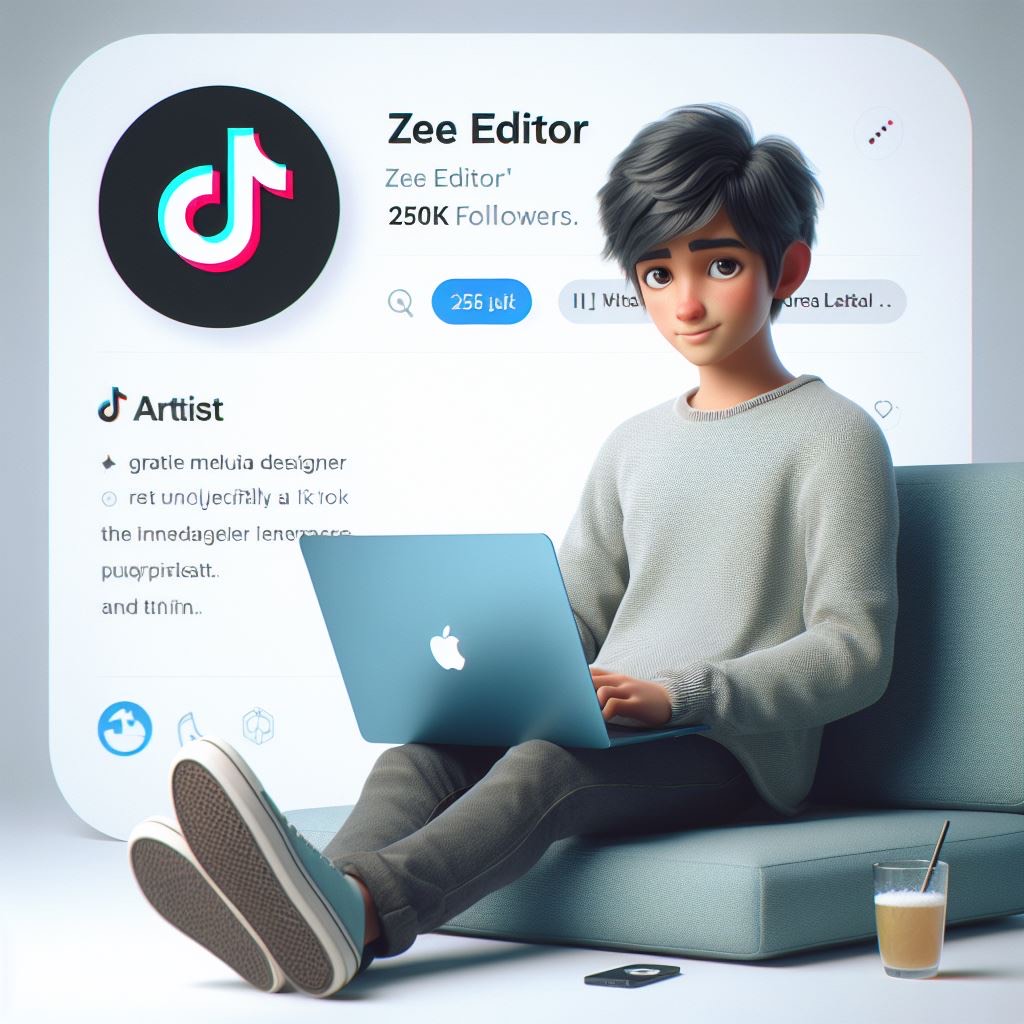
    http://”Create a 3D illustration featuring a realistic boy, casually sitting with a blue apple MacBook beside of a social media logo, specifically ‘TikTok’ The character should look like he is Artist, Graphic designer and Enterprenure, background of the image should showcase a social media profile page real data, username ‘Zee Editor’ and a matching.profile picture. He have 250K followers.”

    Remember to adjust the prompts based on your preferences and the style you’re looking for in the AI-generated profile images. The more specific and detailed your prompts are, the better the AI model can understand and generate images that match your criteria.