Instagram Trending Into Stardust Effect Reels Editing (Complete 2025 Guide)
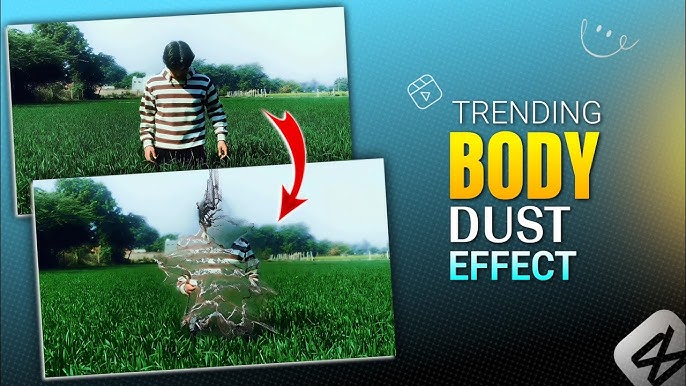
Instagram Reels have completely transformed how creators express creativity, and in 2025, the “Into Stardust Effect” has emerged as one of the most viral and visually stunning reel editing trends. This effect turns a person, object, or scene into sparkling particles that dissolve into stardust, creating a magical, cinematic, and emotional impact.
From influencers and video editors to brands and content creators, everyone is using the Into Stardust Effect to boost reach, engagement, and follower growth on Instagram.
In this complete 3500+ word guide, you’ll learn:
-
What the Instagram Into Stardust Effect is
-
Why it’s trending so fast
-
Best apps to create the stardust effect
-
Step-by-step editing tutorials (beginner to pro)
-
Advanced tips for viral Reels
-
Common mistakes to avoid
-
SEO & Instagram algorithm tips
-
FAQs creators ask the most
Let’s dive deep into the trend that’s dominating Instagram Reels right now.
What Is the Instagram “Into Stardust Effect”?
The Into Stardust Effect is a video editing technique where a subject (usually a person) breaks into tiny glowing particles, dust, or sparkles that float, fade, or explode into the air. The effect is often synced with:
-
Beat drops
-
Emotional music
-
Slow motion transitions
This visual illusion gives a dreamy, cinematic, and emotional vibe, making viewers stop scrolling instantly.
Key Characteristics of the Stardust Effect
-
Particle disintegration animation
-
Glow, sparkle, or dust overlays
-
Smooth transitions
-
Beat-synced motion
-
Cinematic color grading
Why Is the Into Stardust Effect Trending on Instagram?
Instagram trends don’t go viral randomly. The Stardust Effect checks all the boxes for viral Reels.
1. Scroll-Stopping Visuals
The human eye is naturally attracted to motion and light. Stardust particles grab attention within the first 2 seconds, which is critical for Instagram’s algorithm.
2. Emotional Storytelling
Creators often use this effect to represent:
-
Transformation
-
Memories fading
-
Glow-up moments
-
Emotional endings
-
Fantasy aesthetics
This emotional depth increases watch time and shares.
3. Perfect for Beat Drops
The effect syncs beautifully with trending audios, especially:
-
Slow-to-fast transitions
-
Emotional background music
-
Cinematic beats
4. Algorithm Friendly
Instagram promotes Reels that:
-
Have high completion rates
-
Are replayed multiple times
-
Use trending editing styles
The Stardust Effect naturally boosts all three.
Best Apps for Creating the Into Stardust Effect
You don’t need expensive software like After Effects (although you can use it). Most viral Stardust Reels are made using mobile apps.
1. CapCut (Highly Recommended)
CapCut is currently the most popular app for Stardust editing.
Why CapCut?
-
Built-in particle effects
-
Easy masking tools
-
Trending templates
-
Smooth keyframes
-
Free to use
Best For: Beginners & intermediate editors
2. Alight Motion
Alight Motion offers advanced control for professional-looking stardust effects.
Features:
-
Custom particle effects
-
Keyframe animation
-
Blend modes
-
Glow effects
Best For: Advanced editors
3. VN Video Editor
VN is simple, lightweight, and powerful.
Pros:
-
Clean interface
-
Manual overlays
-
Good for basic stardust animations
4. Adobe After Effects (PC)
For creators who want Hollywood-level effects, After Effects is unmatched.
However:
-
Steep learning curve
-
Requires PC
-
Time-consuming
Step-by-Step Guide: Stardust Effect Editing in CapCut
Let’s break down the most popular method used by Instagram creators.
Step 1: Choose the Right Video Clip
Your clip should:
-
Have a clean background
-
Clearly show the subject
-
Be shot in good lighting
Pro Tip: Dark or plain backgrounds make stardust particles pop more.
Step 2: Import Video into CapCut
-
Open CapCut
-
Tap “New Project”
-
Import your clip
Trim the video so the main action happens within 5–8 seconds.
Step 3: Freeze the Perfect Frame
-
Move the timeline where the effect should start
-
Tap “Freeze”
-
This creates a still frame
This frame will be used for disintegration.
Step 4: Apply Masking
-
Duplicate the frozen frame
-
Go to Mask
-
Select “Split” or “Circle”
-
Feather the edges for smooth blending
Masking allows particles to appear gradually.
Step 5: Add Stardust or Particle Effects
-
Go to Effects → Party / Fantasy / Overlay
-
Search for:
-
Sparkle
-
Dust
-
Glow particles
-
Adjust:
-
Opacity
-
Direction
-
Speed
Step 6: Animate with Keyframes
Keyframes are the secret to professional edits.
Add keyframes to:
-
Scale
-
Opacity
-
Position
Gradually make the subject:
-
Fade out
-
Shrink
-
Dissolve
Step 7: Add Cinematic Motion Blur
Motion blur makes particles feel real.
-
Enable motion blur (if available)
-
Or use blur overlays
Step 8: Color Grading
Go to Adjust:
-
Increase contrast slightly
-
Add warmth or cool tones
-
Lower highlights
-
Boost shadows
This gives a cinematic look.
Step 9: Add Trending Music
Music choice is critical.
Use:
-
Emotional slow beats
-
Cinematic audios
-
Viral Instagram Reel sounds
Sync the stardust effect with the beat drop.
Step 10: Export Settings
-
Resolution: 1080×1920
-
Frame Rate: 30fps or 60fps
-
Format: MP4
Your Stardust Reel is ready.
Advanced Stardust Editing Tips for Viral Reels
Want your Reel to explode in reach? Follow these expert tips.
Use Reverse Transitions
Start with stardust particles and reverse the clip for a unique entry effect.
Add Light Leaks
Light leaks add realism and depth.
Combine Slow Motion
Slow motion enhances emotional impact.
Keep It Short
Best length:
-
6–9 seconds
Instagram favors short, replayable Reels.
Hook in First 2 Seconds
Use:
-
Sudden movement
-
Visual shock
-
Text overlay like:
“Wait for it…”
Common Mistakes to Avoid
Many creators ruin their Reels by making these mistakes:
-
Overusing particles
-
Poor masking edges
-
Bad lighting
-
Ignoring beat sync
-
Too long videos
-
Low export quality
Avoid these and your Reels will look professional.
Best Hashtags for Stardust Effect Reels (2025)
Use a mix of high & medium competition hashtags.
Example Hashtags:
How the Instagram Algorithm Boosts Stardust Reels
Instagram pushes Reels that:
-
Get high watch time
-
Are replayed
-
Receive saves & shares
The Stardust Effect naturally encourages rewatches, making it algorithm-friendly.
Stardust Effect for Brands & Influencers
Brands use this effect for:
-
Product reveals
-
Brand storytelling
-
Before/after transitions
Influencers use it for:
-
Glow-ups
-
Emotional content
-
Aesthetic branding
FAQs: Instagram Into Stardust Effect Reels Editing
1. Is the Stardust Effect free to use?
Yes, most apps like CapCut offer free effects.
2. Which app is best for beginners?
CapCut is the easiest and most popular.
3. Can I make Stardust Reels on Android?
Yes, all major apps support Android.
4. How long should a Stardust Reel be?
6–9 seconds performs best.
5. Does this effect work for photos?
Yes, photos can also be animated.
6. Can I monetize Stardust Reels?
Yes, brands love cinematic edits.
7. Is After Effects better than CapCut?
After Effects offers more control but is harder.
8. What type of music works best?
Emotional, cinematic, or slow beat-drop audios.
9. Does quality affect reach?
Absolutely. High-quality videos perform better.
10. Is this trend going to last?
Yes, cinematic effects remain evergreen.
Future of Stardust Effect in Instagram Reels
As Instagram moves towards AI-powered effects, the Stardust trend will evolve into:
-
3D particles
-
AI subject detection
-
Real-time transitions
Creators who learn this skill now will stay ahead of the competition.
Instagram Into Stardust Effect Templates (Ready-Made Viral Solution)
If you don’t want to spend hours manually editing particles, masking, and keyframes, Into Stardust Effect Templates are the fastest and smartest option. In 2025, most viral Instagram Stardust Reels are created using pre-made templates, especially on CapCut.
Templates allow creators to apply professional-level effects with just one click, making them perfect for beginners and content creators who want quick results.
Best Platforms for Into Stardust Effect Templates
1. CapCut Templates (Most Trending)
CapCut is currently the #1 platform for Stardust templates.
How to Find Stardust Templates in CapCut
-
Open CapCut
-
Go to Templates section
-
Search keywords like:
-
Into Stardust
-
Stardust Effect
-
Dust Transition
-
Glow Disintegration
-
-
Choose a template with:
-
High usage count
-
Recent uploads
-
2. Instagram Template Links (Direct Use)
Many creators share direct CapCut template links on:
-
Instagram captions
-
Stories
-
Bio links
Clicking the link opens CapCut directly with the effect applied.
3. Telegram & Creator Communities
Editing communities often share:
-
Exclusive Stardust templates
-
Updated trending versions
-
Custom particle effects
Step-by-Step: How to Use a Stardust Effect Template in CapCut
Step 1: Open CapCut Template
Tap “Use Template”
Step 2: Upload Your Video
Choose a clip where:
-
Subject is clear
-
Background is not too busy
-
Lighting is good
Step 3: Adjust Clip Position
Trim or reposition your clip so the effect hits at the beat drop.
Step 4: Export the Video
Recommended settings:
-
1080p resolution
-
30fps or 60fps
Your Stardust Reel is ready to post.
Customizing Stardust Templates (Pro Tip)
To avoid looking like everyone else:
-
Change color grading
-
Add text overlay
-
Adjust effect intensity
-
Replace music with trending audio
Small changes make your Reel unique.
Best Practices for Using Stardust Templates
-
Don’t overuse the same template
-
Keep Reel under 10 seconds
-
Use original captions
-
Add emotional text
-
Post consistently
CAPCUT APK
Templates vs Manual Editing – Which Is Better?
| Feature | Templates | Manual Editing |
|---|---|---|
| Skill Required | Low | High |
| Time | Very Fast | Slow |
| Customization | Medium | High |
| Beginner Friendly | Yes | No |
| Viral Potential | High | High |
👉 Best Strategy:
Use templates for daily posting and manual editing for premium content.
FAQs About Stardust Effect Templates
Q1. Are Stardust templates free?
Yes, most CapCut templates are free.
Q2. Do templates reduce originality?
Not if you customize them properly.
Q3. Can I use templates on Android & iPhone?
Yes, CapCut supports both.
Q4. Are templates updated regularly?
Yes, new versions appear weekly.
Final Thoughts
The Instagram Trending Into Stardust Effect Reels Editing trend is more than just an effect—it’s a powerful storytelling tool. Whether you’re a beginner or a professional editor, mastering this effect can dramatically improve:
-
Engagement
-
Followers
-
Brand value
-
Monetization opportunities
With the right app, clean editing, and emotional music, your Stardust Reels can go viral consistently.